
Know Every Bed. Manage Every Admission. Optimize Every Pediatric Stay.
Manual bed allocation can delay emergency as well as planned admissions, and outdated records lead to errors in bed status tracking.
PlusPedia can overcome this by providing live data on bed availability, occupancy, room types, and ward capacity – everything from a single source.
Our software is responsible for seamless patient admission, uniform resource allocation, and systematic patient transfer.
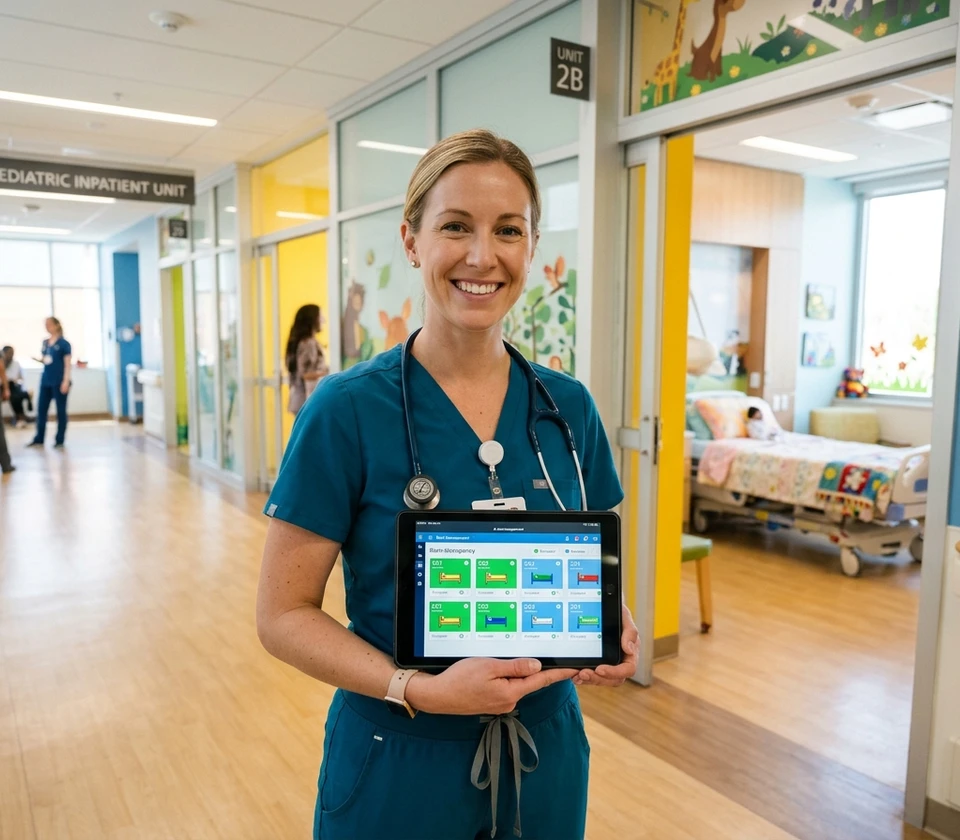

The Problem: When Bed Management Isn’t Visible, Patient Care Slows Down
To experience smooth admission process, pediatric facilities must have to keep track of real-time bed availability status, accurate occupancy records, bed types, and accommodation limits.
Traditional bed management is a major source of delays, crowding, and unexpected risks during patient intake processes.
Absence of a centralized platform for bed board management can introduce lots of complexities during bed allocation, patient transfer, and resource utilization.
Common Challenges Pediatric Facilities Face
Pediatric clinics need to eliminate several common challenges to provide smooth admissions and patient transfers.
Undefined bed availability during peak admission periods leads to chaotic hospitalization.
Keeping track of occupancy records across multiple departments is complex.
Increased wait times due to irregular and unorganized allocation of beds.
Lack of transparency regarding beds that are under maintenance or are reserved.
Difficulty in collaborating among admission, nursing, and administrative teams.
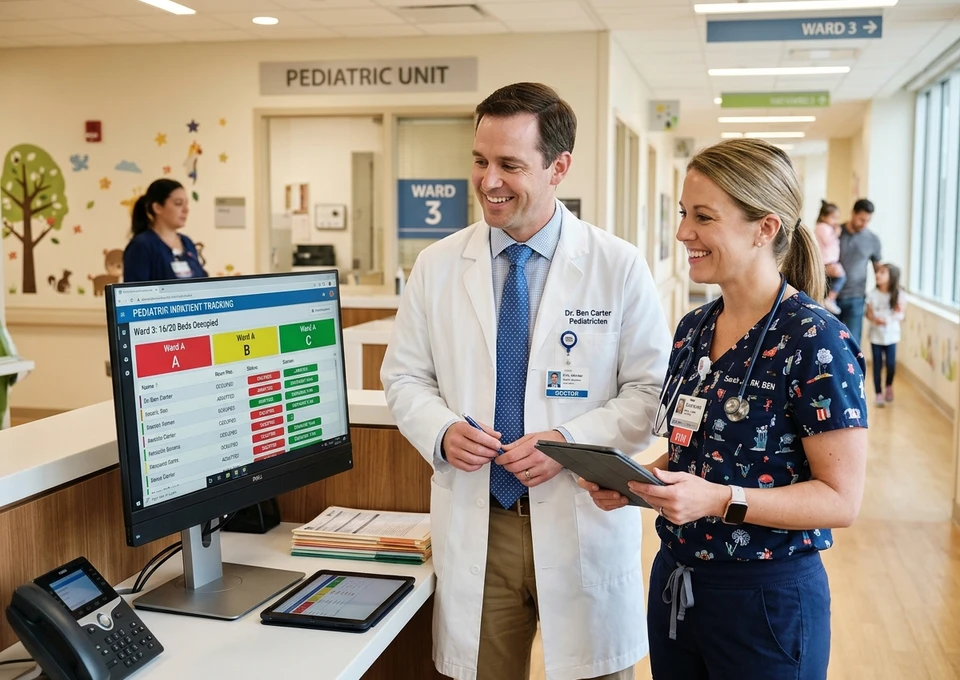
The Solution: PlusPedia Bed Board Management
PlusPedia is designed to provide bed management services from a secure and unified platform.
From real-time bed availability status, clear room occupancy view, to uniform resource allocation, our software ensures smooth onboarding of patients.
Core Features of Bed Board Management Module
A Smarter Way to Manage Pediatric Beds and Wards
Experience centralized bed boards, organized ward management, and automated bed allocation.
Live Bed Availability Dashboard
Prevent unnecessary admission delays through real-time visibility into the beds of the entire facility.
Building-Wise Bed Tracking
Get a concurrent view of beds across multiple blocks and find out your spot in the waiting line.
Floor-Wise Visibility
Find out bed availability across multiple floors, allowing staff to communicate effectively between departments.
Make pediatric billing easier with organized invoices and simplified payments.
Real-Time Status Tracking for Every Bed
(Bed Status Management Section)
Instantly identify bed readiness and eliminate admission delays by allocating resources on time.
Available Beds
Get updated data related to bed availability anytime to prevent confusion and chaos during admission.
Occupied Beds
Find out the occupancy status of every bed located across multiple departments for uniform resource distribution.
Reserved Beds
Find out the number of beds that are booked in advance for critical surgeries or procedures to avoid last-minute delays.
Cleaning Status
Track the beds that are completely cleaned, sanitized, and ready for the next child, ensuring proper hygiene.
Maintenance Status
Keep track of beds that need repairs or services to avoid assigning them, ensuring pediatric patient safety.
Blocked Beds
Eliminate beds that are not eligible for allocation temporarily from the bed board to keep them separated from active beds.
Isolation Beds
Instantly locate beds that are specifically kept for children who need isolated treatment.
Assign the Right Room for Every Patient
Allocate the rooms after looking at availability, capacity, hospital policies, and the child’s care requirements.
Single Bedrooms
Assign rooms with single beds, allowing patients and their families greater privacy and dedicated space for care.
Double Bedrooms
Manage rooms with two beds to accommodate two patients separately while making efficient use of available room capacity.
Deluxe Rooms
Allocate deluxe rooms for patients requiring enhanced room services and additional comfort.
Super Deluxe Rooms
Manage premium room allocation with upgraded facilities and greater comfort.
Configure and Manage Your Facility Structure with Ease
Set up your clinic/hospital’s physical infrastructure (number of buildings, rooms, wards) in our software.
Flexible Ward Configuration
Get 24 by 7 live streaming of beds across multiple blocks, floors, and wards, helping to avoid overcrowding or misallocation.
Easy Updates and Administration
Instantly plug in new departments, modify room types, and update facility structure as operational needs evolve.
Standardized Bed Organization
Maintain accurate, uniform, and up-to-date records across all wards and departments.
Connect with young patients and parents through seamless virtual conversations.
How PlusPedia Improves Pediatric Bed Management
Accelerate Admissions
Prevent long queues and overcrowding by assigning available beds on time without any delay.
Improve Bed Utilization
Maximize the usage of resources through uniform distribution and real-time visibility into bed availability.
Enhance Care Coordination
Pediatricians, nurses, and admin staff all work with updated data, eventually improving patient care outcomes.
Reduce Operational Bottlenecks
Eliminate manual tasks such as bed allocation, status modification, coordinating patient flow, or handling ward capacity.
Increase Facility Visibility
Provides a centralized view of bed availability, occupancy, room types, and ward capacity.
Support Better Resource Planning
Helps admins to monitor bed occupancy trends, ward capacity, and resource availability to plan facility utilization.
Why PlusPedia?
Built Specifically for Pediatric Healthcare Environments
Supports the specific admission, bed allocation, patient transfer, and ward management needs.
Provides an easy-to-use interface that helps to access bed information, update records, and coordinate inpatient activities efficiently.
Allows management of bed availability, occupancy, room assignments, and ward capacity from a single platform.
Provides updated information allowing staff to make timely admission and transfer decisions.
Accommodates expanding bed capacity, additional wards, and new departments.
How PlusPedia Bed Board Management Works
Set up the physical structure (building, floors, wards, and rooms) of your hospital in the software.
Define Bed Types and Availability. Based on your hospital requirements, define bed types and availability status (available, reserved, occupied, or cleaning)
Monitor updated bed availability across multiple buildings, floors, and wards.
Assign suitable beds to children based on availability, ward requirements, and medical care needs.
Monitor whether beds are occupied, vacant, awaiting cleaning, or under maintenance.
Update bed status, room assignment, ward occupancy, and patient transfer whenever changes occur.
Track bed availability after a child's discharge or transfer and monitor cleaning and maintenance progress.
Expected Results for Your Pediatric Facility
Helps hospital staff quickly identify available and suitable beds, enabling timely decisions for emergencies and planned pediatric admissions.
Enables staff to monitor bed occupancy, ward capacity, and bed availability to manage inpatient admissions.
Provides centralized information about bed management, helping staff with proper resource utilization.
Minimizes manual bed tracking, update recording, and coordination efforts.
Supports appropriate patient placement by helping staff assign beds based on availability, requirements, and capacity.
Support smooth admission, organized transfer and timely discharge by ensuring proper coordination amongst the team.
Gain Complete Control Over Your Pediatric Bed Capacity

CLIENT TESTIMONIALS
What our clients say
What I really like about PlusPedia is that it helps me track essential milestones such as motor, speech, and social development. Having all this information readily available makes informed clinical decisions much easier. Read more

Dr. Amola Khandwala
Synapse Pediatric Clinic
Honestly, PlusPedia has simplified the way I capture a child's developmental journey and medical history. As a result, diagnosis becomes more efficient, more accurate, and ultimately leads to better outcomes. Read more

Dr. Meet Ramatri
Ramatri's Family and Child Dental Care
For me, PlusPedia brings everything together in one place. I can easily track history, monitor developmental milestones, and document diagnoses without having to switch between multiple records. Read more

Dr. Nishant Chauhan
IOS Hospital
One of the biggest advantages of PlusPedia is that it gives me a complete view of the child, from birth history and developmental milestones to diagnoses, all in a single screen. Read more

Dr. Reema Pandya
Little Stars Paediatric Clinic
See how PlusPedia transforms your pediatric practice
Experience a sophisticated, pediatric-first platform that simplifies scheduling, growth charting, vaccination tracking, and billing.
Request a Demo

FAQs
01.What is PlusPedia Bed Board Management?
PlusPedia Bed Board Management is a feature that helps pediatric clinics and hospitals manage bed availability, occupancy, room assignments, and ward capacity from a centralized platform.
02.Can the software show live bed availability?
Yes, PlusPedia can show live bed availability through a centralized bed board, helping hospital staff identify available, occupied, reserved, and temporarily unavailable beds across rooms and wards.
03.What bed statuses can be tracked?
PlusPedia can track the following bed statuses: Available, Occupied, Reserved, Cleaning, Maintenance, Temporarily Inactive, Isolation.
04.Can beds be filtered by building or floor?
Yes, PlusPedia supports filtering beds by building, floor, ward, and room. This helps hospital staff quickly locate available beds across different areas of the facility, check occupancy, and assign suitable beds for pediatric admissions.
05.Does PlusPedia support different room categories?
PlusPedia's bed board management can be configured to manage different room categories, depending on the features enabled. These may include: Single Bed Room, Double Bed Room, Deluxe Room, Super Deluxe Room.
06.What is the Ward Setup module?
A Ward Setup Module in pediatric software is a feature that helps hospitals configure and organize their facility's structure, including buildings, floors, wards, rooms, and beds, in one centralized system.
07.Who benefits from this module?
Pediatricians, hospital administrators, nursing teams, admission coordinators, and inpatient management staff can benefit from this module.