
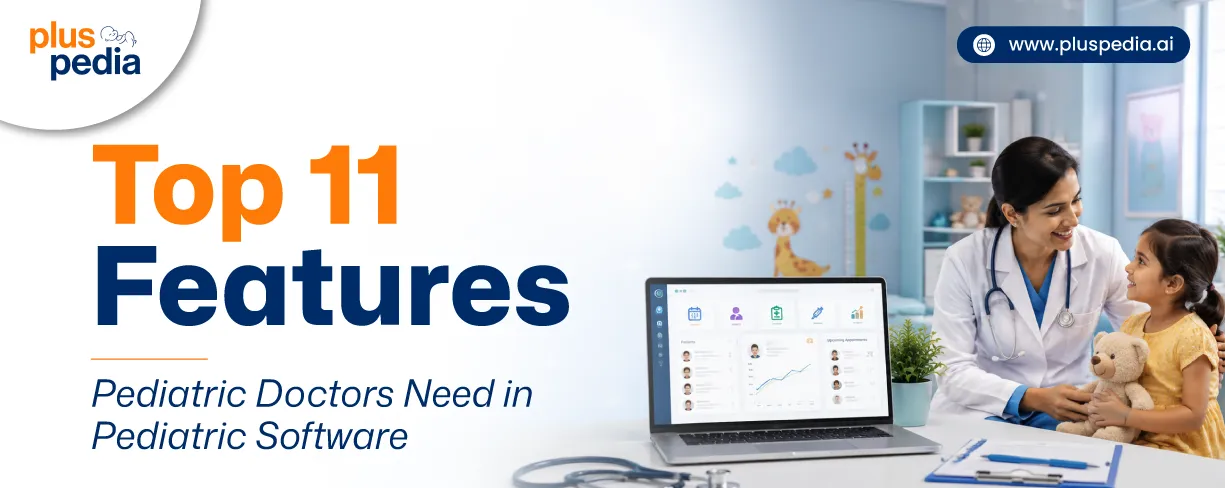
Top 11 Features Pediatric Doctors Need in Pediatric Software
Summarize this article with:



- 1. Top 11 Features Pediatric Doctors Need in Pediatric Software
- 1.1 Electronic Medical Records (EMR)
- 1.2 Child growth monitoring
- 1.3 Vaccination Management
- 1.4 Appointment Scheduling
- 1.5 Parent Profile Management
- 1.6 Clinical Documentation
- 1.7 E-Prescriptions and Medication Management
- 1.8 Automated Follow-Up and Patient Recall Management
- 1.9 Pediatric Billing and Invoicing
- 1.10 Pediatric Analytics and Reporting
- 1.11 Secure Patient Data Management
- 2. What to Prioritize When Evaluating Pediatric Software
- 3. Focus on Features That Improve Pediatric Care
- 4. FAQs
Imagine it is a busy Monday morning. You are already stuck with lots of patients in the queue. And your staff is struggling to provide you with the required medical record, which is somewhere in the middle of a huge document pile.
Now only the right pediatric software can bring you out of this chaos. Here, the right pediatric software doesn’t mean the one with overflooded features – it is the one that satisfies your criteria and provides you with an optimized child healthcare workflow.
But now the question arises: what exactly does ideal pediatric software consist of? Addressing this below guide will take you through some of the top features pediatric doctors need in pediatric software.
Top 11 Features Pediatric Doctors Need in Pediatric Software
If your pediatric software fails to maintain balanced patient flow, regular preventive care, simplified growth assessment, and a smooth billing process, then it must be lacking the following key features. Let’s discover what makes them essential.
Improve clinical efficiency with a comprehensive pediatric EMR solution
1. Electronic Medical Records (EMR)
Pediatric electronic medical records (EMR) enable centralized storage of records related to child demographics, medical history, SOAP notes, check-up summaries, medications, vaccinations, and diagnoses.
Each and every data is stored electronically, allowing easy and instant access compared to data stored physically in files.
2. Child growth monitoring
Child growth monitoring is one of the required pediatric software features that empowers proper visibility regarding a child’s growth pattern to identify any abnormalities early.
To enhance age-specific progress assessment, it also supports developmental milestone monitoring to get a comprehensive view related to physical, cognitive, and emotional changes seen in a child.
3. Vaccination Management
Pediatric solutions must include immunization management to prevent missed or double dosing, errors in recording vaccine data, and inefficient inventory management.
Vaccination management can automate vaccine scheduling, keep track of immunization history, show real-time data of due & overdue vaccines, and send vaccination reminders.
Digital vaccination records are convenient in terms of handling and accessing.
Turn pediatric data into actionable insights with smart reporting and analytics
4. Appointment Scheduling
Booking a visit, routine check-up, or vaccine slot without any hindrances in terms of delay or double booking can be made easier by an effective scheduling system.
Appointment scheduling for pediatric clinics allows hassle-free rescheduling and canceling at any time from any location.
5. Parent Profile Management
The parent management facility ensures that all the relevant information regarding the parent is maintained for quick access when needed.
Parent communication tools allow pediatricians to give information related to appointments, vaccines, and child health on time through secure portals.
6. Clinical Documentation
Handwritten documentation in the pediatrics workflow may be exhaustive and error-prone. This can be avoided through predefined clinical documentation templates provided by smart pediatric documenting tools.
The pediatrician is able to document symptoms, diagnosis, treatment, medications, and other follow-up notes in an efficient manner.
Read More : Top Medical Practice Management Software of 2025
7. E-Prescriptions and Medication Management
Writing prescriptions manually during consultations can cause long wait times and lead to medication errors. Medication and e-prescription management gives pediatricians a quick, seamless, and precise tool to manage electronic prescriptions.
It stores complete medication history and prescription instructions in a centralized database for quick access. Pediatricians don’t have to enter patient information - it gets auto-populated, eliminating repeated entries.
8. Automated Follow-Up and Patient Recall Management
Missed follow-ups directly affect the health status of children. A smart follow-up reminder system ensures that none of the patients get out of sight in the regular health checkup cycle.
It reminds the patients about upcoming visits, vaccination schedules, regular check-ups, and appointments. It helps avoid appointment cancellations, increases adherence to treatment, and lessens administrative burden by auto-generating a recall list.
This helps pediatricians enhance preventive care and establish better relation with patients and their parents.
9. Pediatric Billing and Invoicing
Manual billing can bring inaccuracies, late payment processing, and extra administrative burden. The billing and invoicing module of pediatrics enables automated invoice creation, consultation billing, vaccination billing, and more.
It keeps a precise record of all bills, provides multiple payment modes, and tracks each transaction. Due to fast and mistake-free billing, the clinic staff invests more time in patient care.
Automate invoicing to keep your pediatric practice running smoothly
10. Pediatric Analytics and Reporting
Raw medical records are not meaningful in order to make informed decisions. There is a requirement for actionable insights derived from them.
The pediatrics analytics and reporting functionality turns all the clinical and operational data into comprehensive reporting and dashboarding, which includes hidden trends and patterns.
This information can fill in any gaps in patient care, assess pediatric practice performance, and make data-driven decisions.
11. Secure Patient Data Management
Protection of patient-sensitive information is an integral component of all pediatric clinics. Secure management of patient data safeguards medical documents, treatment details, lab reports, vaccination records, and personal information using access controls and encryption.
Therefore, only selected personnel will be able to access confidential records, preventing any possibility of information leakage. Data backups will prevent any possible information loss and enable quick recovery of lost information.
What to Prioritize When Evaluating Pediatric Software
-
User-friendliness: Pick software that has a user-friendly interface that is easy for both pediatricians and staff members to navigate.
-
Scalability: Ensure that the software can scale as per the growth of your practice or increase in patient numbers.
-
Integration capabilities: Ensure that the software is easily integrated with billing, laboratory, pharmacies, and other health systems.
-
Customizability: Seek out software with customizable templates and reporting options that suit your requirements.
-
Good customer support: Go for software that has reliable customer support services.
-
Long-term value: Look for software that adds value through efficiencies and reduced administration work.
Read More : EMR Vs PMS: Differences, Benefits and Use Cases
Focus on Features That Improve Pediatric Care
The best pediatric software isn't the one with the longest feature list—it's the one with the right features that simplify your daily workflow and help you deliver better care. From growth tracking and vaccination management to secure documentation and parent communication, every feature should solve a real challenge your practice faces. So, before making your decision, focus on the capabilities that truly support your team, your patients, and your long-term goals. After all, investing in feature-rich pediatric software today means building a more efficient practice and a better care experience for every child tomorrow.
FAQs
Vaccination management helps clinics track immunization schedules, identify overdue vaccines, send reminders to parents, and maintain accurate vaccine records.
Yes. Many pediatric software solutions can automatically send reminders for follow-up visits, annual wellness exams, vaccinations, and recurring checkups through SMS, email, or other communication channels.
Growth chart tracking allows pediatricians to monitor a child's height, weight, BMI, and overall development over time. By comparing growth trends across visits, doctors can identify health concerns earlier and make informed clinical decisions.
Appointment scheduling software reduces no-shows by enabling online booking, sending automated appointment reminders, notifying parents about upcoming visits, and simplifying rescheduling.
Pediatric software should include:
-
Role-based access control
-
Data encryption (both in transit and at rest)
-
Secure user authentication and password policies
-
Audit trails to track system activity
-
Regular data backups and recovery options
-
Compliance with healthcare privacy and security regulations
-
Secure sharing and storage of patient records
.webp)
Recent Posts

AI In Pediatric Practice – Pros and Cons
September 25, 2026
How do HIPAA and GDPR affect SaaS?
September 25, 2026
Pediatric Billing Challenges and How to Overcome Them
September 22, 2026
Benefits of Cloud-Based Pediatric Practice Management Software
September 14, 2026